
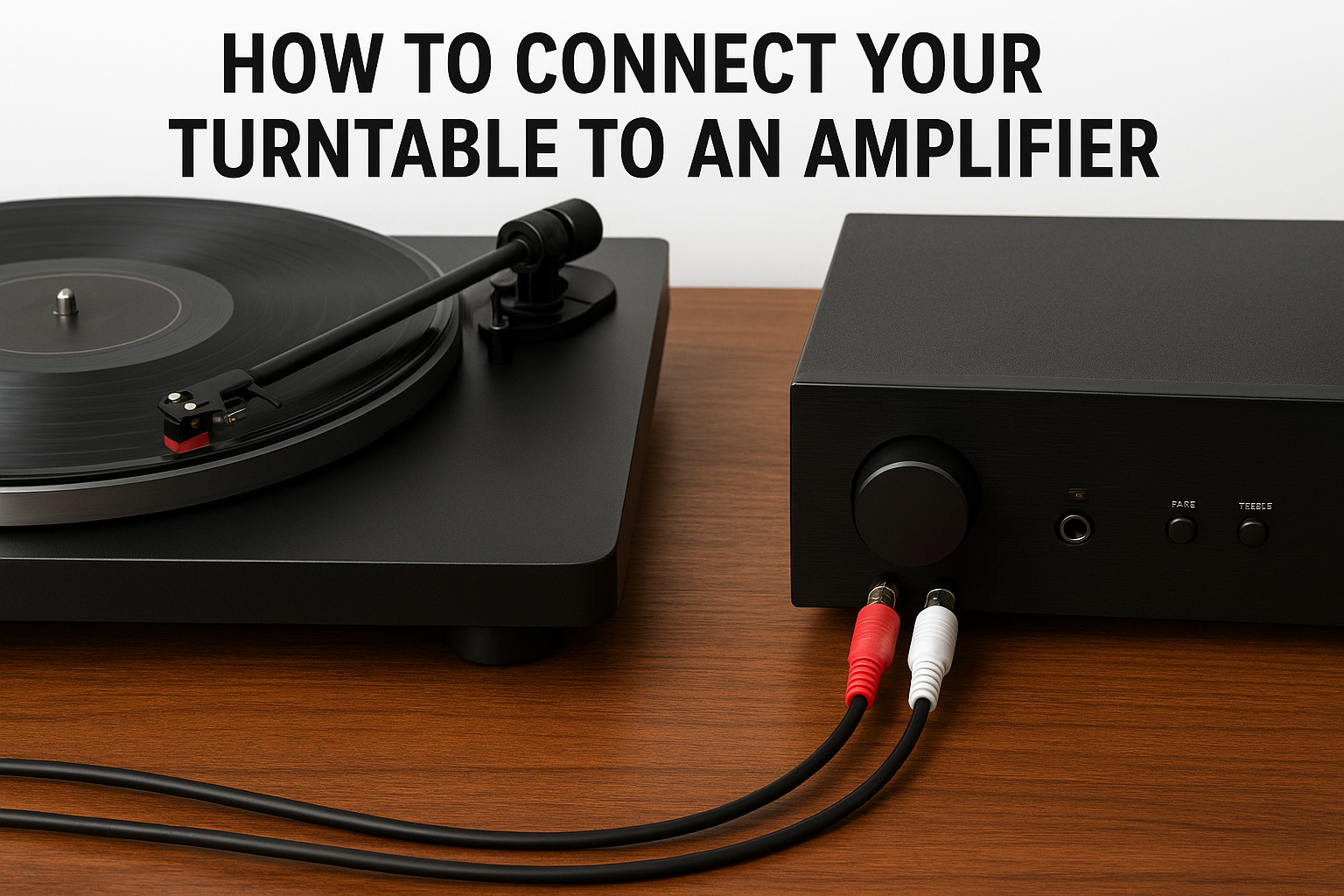
So you’ve got a turntable and an amplifier, but aren’t quite sure how to make them work together?
Whether you’re setting up your first vinyl system or upgrading your home audio gear, connecting a turntable to an amp is simple once you understand the signal flow.
Affiliate Disclosure: AmplifierZone is reader-supported. As an Amazon Associate, we may earn commissions from qualifying purchases at no extra cost to you.
What You Need
- Turntable – make sure it has either a built-in phono preamp or external one available.
- Amplifier – with either a PHONO input or standard AUX / LINE IN ports.
- RCA cables – typically red and white connectors.
- Ground wire (optional) – reduces hum on certain setups.
- Speakers – passive or active depending on your amp.
Step-by-Step: How to Connect a Turntable to an Amplifier
Step 1 – Check for a PHONO Input
Look at the back of your amplifier. If you see a PHONO input, you can connect the turntable’s RCA cables directly there.
This input already includes a built-in phono preamp that boosts and equalizes your turntable’s weak signal.
Step 2 – Connect Using RCA Cables
Plug the red RCA cable into the red input and the white RCA cable into the white input on the amp.
If your turntable includes a ground wire, attach it to the grounding screw on your amplifier to eliminate hum.
Step 3 – If Your Amp Has No PHONO Input
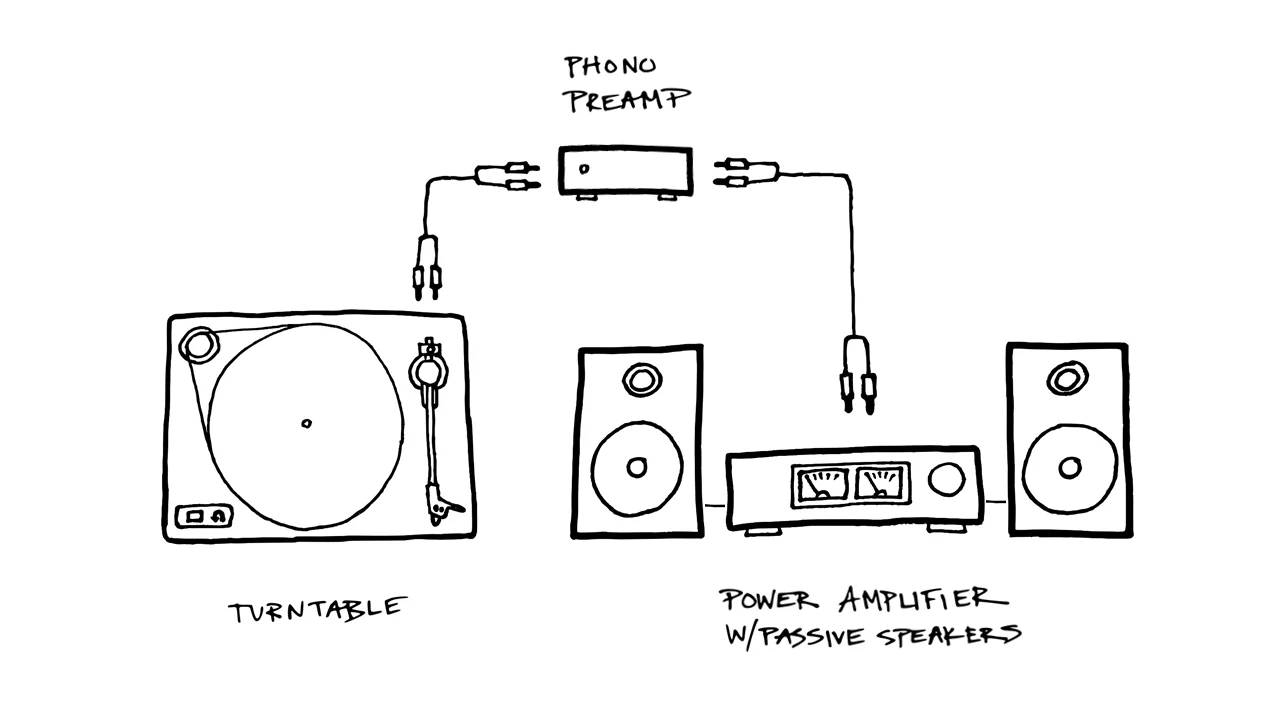
Many modern amplifiers only have LINE IN or AUX ports. In that case, you’ll need a phono preamp (either external or built-in to your turntable).
Connect the turntable → preamp → amplifier’s line input.
Step 4 – Select the Right Input
On your amplifier, choose the correct input channel (PHONO or LINE/AUX) using the selector knob or input button.
Lower the tonearm gently — and you’re ready to spin your records!
Tips for the Best Sound
- Keep your turntable away from speakers to minimize vibrations.
- Ensure the surface is level for proper stylus tracking.
- Replace worn cartridges and stylus tips for clearer sound.
- Use shielded RCA cables if you experience background hum.
Troubleshooting Common Issues
- No sound? Double-check input source and make sure the preamp is active.
- Hum or buzz? Ensure the ground wire is connected or use a ground loop isolator.
- Distorted audio? Reduce volume or confirm you’re not sending a PHONO signal into a LINE input without a preamp.
Extra Help
Still unsure about your setup? You can refer to
Turntable Lab’s official turntable setup guide
for visuals and troubleshooting tips on grounding and input selection.
Internal Resources
If you’re exploring amp setups and maintenance, check our How-To section for more tutorials like this.
You might also enjoy our guide on How Amplifier Wattage Works.
Disclosure: This guide is for informational purposes. Always follow your manufacturer’s connection instructions for the safest setup.