Affiliate Disclosure: AmplifierZone is reader-supported. As an Amazon Associate I earn from qualifying purchases. Product availability and offer details can change, so use the product links to check the current listing before you buy.
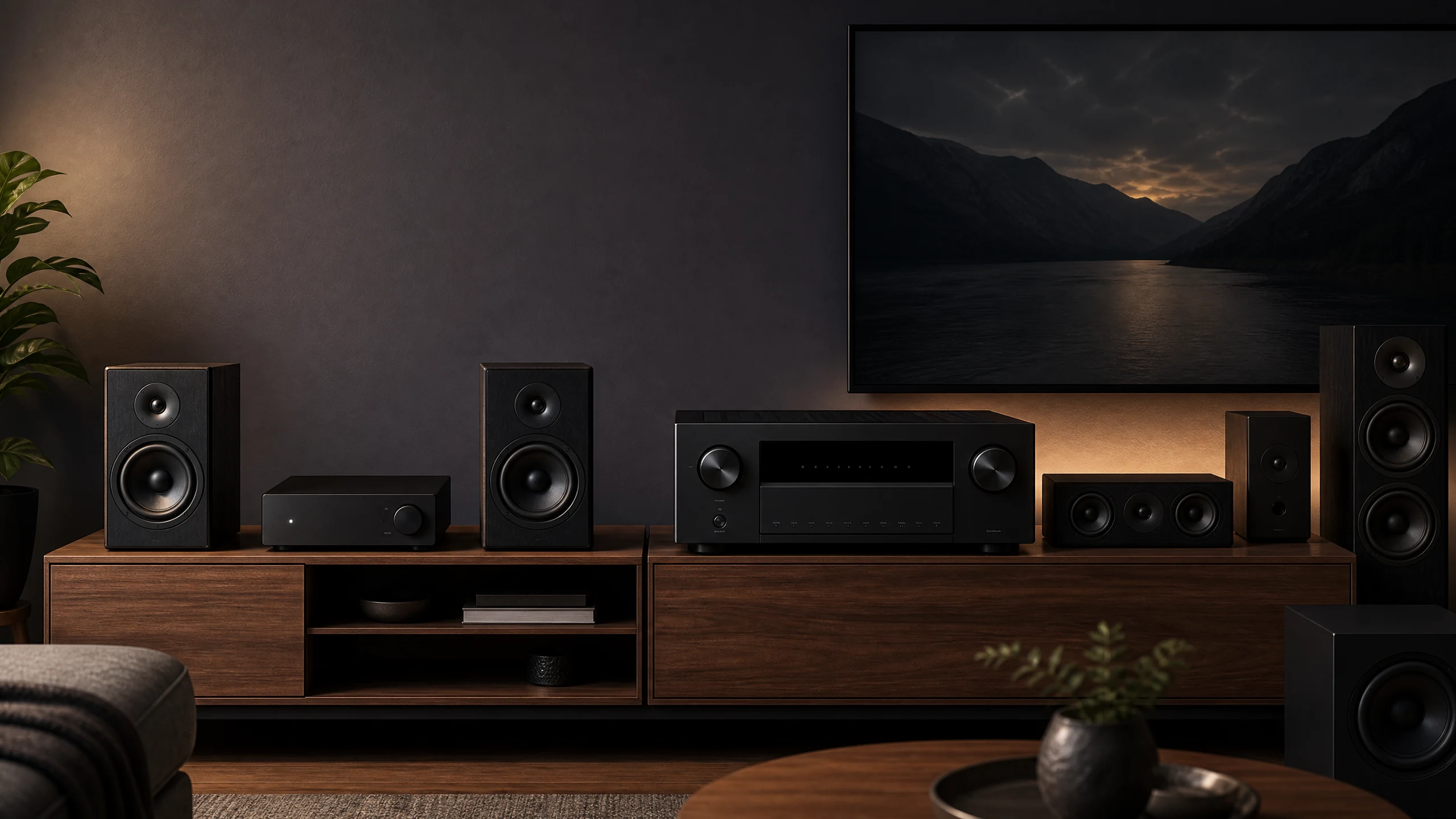
The words streaming amplifier and AV receiver describe two different approaches to building a home-audio system. Both can play music from a network, phone, or streaming service. The difference is what happens around that streaming function: how many speakers the component can power, how it handles television and video sources, whether it decodes surround formats, and how much setup the system requires.
A WiiM Amp can be the right answer when a pair of passive speakers, a TV, and a network connection are the whole brief. A Denon AVR-X1800H makes more sense when the plan includes a center channel, surround speakers, game consoles, and several HDMI devices. Neither category wins in every room.
This guide focuses on the decision behind the purchase rather than treating one product type as a universal upgrade. If you need the basic terminology first, see our guides to what separates a receiver from an amplifier and stereo amplifiers versus AV receivers.
Short answer: choose a streaming amplifier when you want a compact two-channel or 2.1 system for music, TV audio, and network playback. Choose an AV receiver when you need a center channel, surround speakers, multiple HDMI sources, room correction, or Dolby Atmos and DTS:X.
Quick comparison: streaming amplifier vs AV receiver
| Example | System layout | Published power | TV and video role | Best room/use |
|---|---|---|---|---|
| WiiM Amp | 2.0 / 2.1 | 60 W per channel at 8 ohms; up to 120 W per channel at 4 ohms | HDMI ARC; PCM stereo over ARC and optical | Small to medium rooms with passive bookshelf or floorstanding speakers |
| Marantz MODEL M1 | 2.0 / 2.1 | 100 W per channel at 8 ohms; 125 W per channel at 4 ohms at 1 kHz | HDMI eARC; stereo PCM and Dolby Digital+ support | Medium rooms where premium stereo control and a subwoofer path matter |
| Denon AVR-X1800H | 7.2 / 5.2.2 | 80 W per channel published rating; test conditions differ from stereo-amp ratings | Six HDMI inputs, 8K pass-through, 4K/120, eARC, Dolby Atmos and DTS:X | Small to medium rooms that may grow into surround sound |
Do not rank these wattage figures as if they were one laboratory test. The manufacturers use different impedance, frequency, distortion, and channel-drive conditions. Use the figures as design context, then match the amplifier to your speaker sensitivity, listening distance, room, and expected volume.
What is a streaming amplifier?
A streaming amplifier combines a source component, a digital-to-analog section, network or Bluetooth playback, and a power amplifier in one chassis. Its normal job is to drive two passive speakers, sometimes with a subwoofer added. The network connection is not an optional accessory; it is part of the product’s identity.
This design is attractive because it removes a separate streamer from the system. You can open an app, choose a service, and send music directly to the amplifier. Many models also add a TV input, a subwoofer output, or automatic room tools. The result can be a complete living-room system with fewer boxes and fewer cables.
The trade-off is system scope. A streaming amplifier may accept HDMI ARC or eARC but still deliver only stereo. It may support a television, but not decode every surround format. Before buying, look at the actual input behavior rather than assuming that the word streaming means full home-theater compatibility. The difference between wireless and streaming amplifiers is also worth understanding because Bluetooth convenience and network playback solve different problems.
What is an AV receiver?
An AV receiver is a multichannel system hub. In addition to amplifying speakers, it switches HDMI sources, handles video pass-through, decodes formats such as Dolby Atmos and DTS:X, applies speaker delays and levels, and often provides automatic room correction. Network streaming and Bluetooth are now common, but they sit inside a much broader architecture.
The extra hardware is useful when the system has a center speaker, surround channels, height speakers, multiple game consoles, or a disc player. It is also useful when the television is only one of several HDMI sources. A receiver can route those devices to the display while sending the correct audio channels to the speaker layout.
The cost of that flexibility is size and setup. Even a modest AVR has more terminals, menus, speaker settings, and source assignments than a simple streaming amplifier. If you buy an AVR for a system that will remain two-channel forever, you may spend money and shelf space on capabilities you never use. Our 2.0, 2.1, and 5.1 configuration guide helps clarify how much speaker expansion you actually need.
Channels and speaker expansion
The most important distinction is not the number printed on the front panel. It is the number of independent speaker channels the component can power and process. A typical streaming amplifier is built around left and right channels, with a subwoofer output for a 2.1 system. An AVR can power a center channel, surrounds, and height speakers while applying separate level, distance, and crossover settings.
For two passive bookshelf speakers, a streaming amplifier is usually the cleaner choice. It leaves more of the budget for the stereo amplifier section and avoids paying for unused surround processing. If the speakers are difficult to drive or the room is large, choose based on actual power and impedance behavior rather than category labels. Our amplifier-to-speaker matching guide covers sensitivity, impedance, room size, and listening distance.
For a center channel or any surround layout, an AVR is the practical answer. You can sometimes add a separate power amplifier to an advanced system, but that is a different architecture and not a simple substitute for an AVR’s built-in channel processing.
Decision rule: if you can draw the future system with only left, right, and possibly a subwoofer, start with a streaming amplifier. If the diagram includes a center, surround, or height speaker, start with an AV receiver.
HDMI, TV audio, and video switching
HDMI is where many buyers assume the two categories overlap more than they really do. A streaming amplifier may include HDMI ARC or eARC so the television can send audio back over one cable. That can make a stereo TV system extremely tidy. It does not automatically provide the HDMI input count, video switching, or surround decoding of an AVR.
The WiiM Amp is a useful example. Its HDMI ARC path accepts PCM stereo, which is appropriate for two passive speakers and a subwoofer. You should not buy it expecting Dolby Atmos or DTS:X decoding through the television connection. The Marantz MODEL M1 adds HDMI eARC and Dolby Digital+ support, but it remains a two-channel product rather than a full surround receiver.
An AVR is the better fit when the TV is the center of a larger system. The Denon AVR-X1800H provides six HDMI inputs, 8K pass-through, 4K/120 support, eARC, and multichannel Dolby and DTS processing. That means a game console, streaming box, Blu-ray player, and television can share one control center while the receiver sends the correct signals to the speaker layout.
For television-only stereo, either category can work. Set the TV output to a compatible PCM or bitstream mode, confirm whether the amplifier accepts the format, and use a wired HDMI or optical connection instead of Bluetooth when lip-sync matters. Bluetooth is convenient for music but can introduce delay with video.
Streaming, Bluetooth, and control
Both product types can provide music streaming, but the experience depends on the platform. A streaming amplifier usually treats the network as a primary source and may support services directly through its app, AirPlay 2, Google Cast, Spotify Connect, or another protocol. An AVR may offer the same kinds of playback through a broader home-theater interface and, in some brands, a multi-room platform.
Bluetooth is a different path. It is useful when a guest wants to pair a phone quickly or when the source is not available inside the amplifier’s app. Wi-Fi streaming is usually more flexible for high-resolution services, multi-room control, and playback that should not stop when the phone leaves the room. Neither connection is automatically higher quality in every situation; the codec, service, source material, and listening environment still matter.
Choose the system that matches the household’s control habits. A streaming amplifier is often easier for a music-first listener who wants one app and a short source list. An AVR is more suitable when the remote must switch between game consoles, a disc player, TV apps, a turntable, network music, and several speaker modes.
Room correction and setup
Room correction is not a replacement for speaker placement, but it can improve the starting point by measuring levels, distance, crossover behavior, and bass response. In a two-channel system, the feature may be delivered through a phone app or a simple calibration routine. In an AVR, it is usually part of a larger setup process that also configures every speaker in the layout.
The Denon AVR-X1800H includes Audyssey setup and the controls needed for speaker assignments, distances, levels, and surround parameters. That matters when the room has a center channel, several surround speakers, or a subwoofer that needs proper crossover integration. A small streaming amplifier may be quicker to configure, but it cannot apply independent multichannel correction to speakers it does not power.
Do not choose an AVR solely because it has a room-correction brand name, and do not assume that a streaming amplifier without a large calibration menu will sound poor. The benefit depends on the room, the speaker placement, the listening area, and whether you check the result rather than accepting every automatic setting without listening.
Representative products: what the categories look like in practice
1. WiiM Amp
Best for: Best for a compact two-channel streaming system
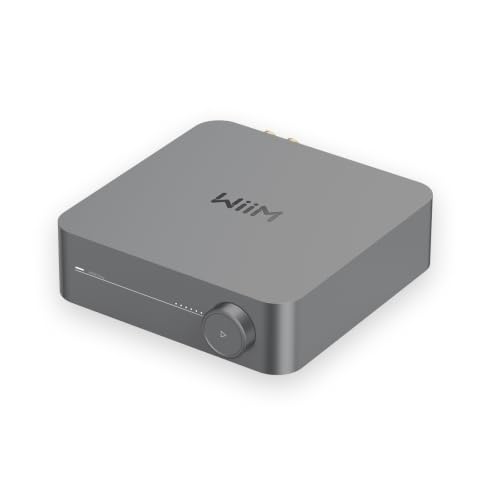
The WiiM Amp is the clearest example of the modern streaming-amplifier idea: network playback, Bluetooth, TV audio, room-friendly control, and enough power for a serious pair of passive speakers in one compact component.
WiiM lists 60 watts per channel into 8 ohms and up to 120 watts per channel into 4 ohms. It also includes HDMI ARC, optical, line input, Wi-Fi, Ethernet, two-way Bluetooth, a subwoofer output, and app-based room tools. The important limitation is the TV signal path: the Amp accepts PCM stereo through HDMI ARC and optical, but it is not a Dolby Atmos or DTS:X surround processor. [4]
System fit: Choose it when your system will stay two-channel or 2.1, you want network streaming without a separate streamer, and you prefer a small box to an AV receiver. If you expect to add a center speaker, surround speakers, or multiple HDMI sources, move to an AVR instead.
2. Marantz MODEL M1
Best for: Best premium streaming-amp example for TV and stereo
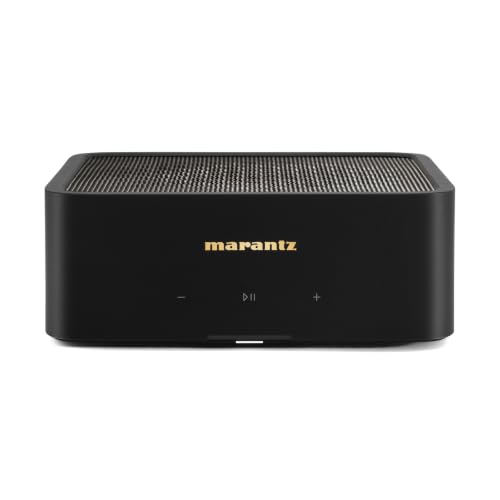
The Marantz MODEL M1 shows where a premium streaming amplifier can go without becoming an AV receiver. It keeps the system centered on two-channel or 2.1 playback while adding HDMI eARC, HEOS network streaming, high-resolution playback, and a dedicated subwoofer path.
Marantz specifies 100 watts per channel into 8 ohms at 0.05% THD and 125 watts per channel into 4 ohms at 1 kHz and 0.05% THD. Its HDMI eARC input makes TV use more flexible than a basic mini amp, but the unit remains a stereo component. Dolby Digital+ support does not turn it into a full multichannel Dolby Atmos or DTS:X receiver. [5]
System fit: Choose it when you want a refined two-channel TV and music system, premium streaming control, and more headroom than a tiny desktop amp. Choose an AVR if the phrase “home theater” means a center channel, surround speakers, height speakers, or several video sources.
Check the Marantz MODEL M1 on Amazon
3. Denon AVR-X1800H
Best for: Best representative AV receiver for a mixed TV, music, and surround system

The Denon AVR-X1800H represents the AV-receiver side of the decision. It is built to route video and audio, decode surround formats, power several speaker channels, and provide network music without requiring a separate streamer.
Denon describes the X1800H as a 7.2-channel receiver with a discrete seven-channel amplifier, six HDMI inputs, 8K and 4K/120 support, HEOS streaming, Dolby Atmos, DTS:X, and Audyssey setup. Its published 80-watt-per-channel figure should not be compared directly with a two-channel amplifier rating because the impedance, frequency, distortion, and channel-drive conditions may differ. [6]
System fit: Choose it when you need a center channel, surround speakers, height effects, several HDMI sources, gaming video features, or room correction built around a multichannel layout. If you will only ever use two passive speakers and one TV, it may be more hardware than you need.
Check the Denon AVR-X1800H on Amazon
Which one should you buy?
Choose a streaming amplifier when…
A streaming amplifier is the better starting point when you want two passive speakers, a subwoofer option, and direct access to music services in a compact chassis. It is especially sensible for a desk, apartment, bedroom, or living room where the television will be used in stereo. It is also a good fit when the system has one main listening position and only a few sources.
Check speaker sensitivity and impedance before you buy. Bookshelf speakers around 86 dB sensitivity or higher are usually easier partners for compact streaming amplifiers at normal listening distances. Speakers below 85 dB, larger floorstanding designs, long cable runs, or sustained high volume may justify a stronger amplifier or an AVR with a sensible upgrade path. See our bookshelf-speaker amplifier guide for more system-matching context.
Choose an AV receiver when…
An AV receiver is the right choice when the system will include a center channel, surround speakers, ceiling or height speakers, or more than one HDMI source. It is also the safer purchase when you know that a future home-theater upgrade is likely. Buying a small streaming amplifier now and replacing it later can cost more than starting with the receiver that matches the planned layout.
Gaming is another strong reason to choose an AVR. If you need 4K/120, variable refresh rate, automatic low-latency mode, several consoles, and surround sound, the receiver’s HDMI switcher is part of the solution. A streaming amplifier with one ARC or eARC input may handle TV audio cleanly, but it is not a substitute for a video hub.
Consider a traditional integrated amplifier instead when…
Neither category is mandatory. A conventional integrated amplifier can be a better choice if you already own a network streamer, want a phono stage, prefer physical inputs, or do not need HDMI switching. The trade-off is that you may need more than one box to reproduce the convenience of a modern streaming amplifier.
Use this five-question checklist
- Will the system stay at two speakers or 2.1, or will it grow to a center and surround channels?
- Do you need one TV audio connection, or several HDMI inputs for consoles and video sources?
- Will you use network services directly, or is Bluetooth from a nearby phone enough?
- Are the speakers easy to drive, and how loud must the system play from the listening seat?
- Would room correction, multiple subwoofers, or future height channels solve a real problem in the room?
Practical rule: buy the smallest architecture that solves the system you will actually use. Do not buy an AVR just because it has more channels, and do not buy a two-channel streaming amplifier if you already know you want a surround system.
Final verdict
The better choice depends on whether your system is fundamentally a stereo system or a theater system. A streaming amplifier is usually the more elegant answer for two passive speakers, a subwoofer, music streaming, and stereo TV audio. It reduces clutter and keeps daily operation simple.
An AV receiver earns its extra size and setup when you need several speaker channels, HDMI switching, surround decoding, gaming features, or a calibration system built around a larger room. It can still play stereo music well, but its main advantage is the ability to coordinate the entire audio-video system.
If you are still undecided, compare the actual speaker plan rather than the product category. The AV receiver guide is the logical next step for a surround or HDMI-heavy system, while the Bluetooth amplifier guide is useful when the priority is a compact passive-speaker system with direct wireless playback.
FAQ
Is a streaming amplifier better than an AV receiver for music?
Can a streaming amplifier replace an AV receiver?
Do streaming amplifiers support HDMI ARC or eARC?
Which is easier to set up, a streaming amp or an AV receiver?
Do AV receivers sound better than streaming amplifiers for music?
Should I buy a streaming amplifier or an AV receiver for a TV?
Affiliate Disclosure: AmplifierZone is reader-supported. As an Amazon Associate I earn from qualifying purchases. Product availability and offer details can change, so use the product links to check the current listing before you buy.
Sources checked
The technical distinctions and representative specifications in this guide were checked against the following manufacturer and reference pages: